


Geometry Platformer


 Geometry Platformer
 Impossible Dash
 Geometry Dash: Impossible Wave
 Geometry Wave Challenge
 Geometry Dash: Super Bull Phonk
 Geometry Dash: Secret Mode
 Geometry Dash Double Wave PRO
 Geometry Ball: Hardcore
 Geometry Dash Neon
 Geometry Dash: Dangerous Choices
 Geometry Dash Black Dragon
 Geometry Dash Black Wave
 Geometry Dash Freeznova
 Geometry Dash 3D Shooter
 Geometry Dash Clicker
 Geometry Dash Lava Mode
 Geometry Dash Portal Challenge
 Geometry Dash Robot
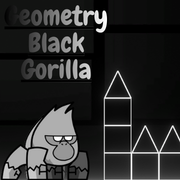 Geometry Dash Gorilla
 Geometry Dash Rash
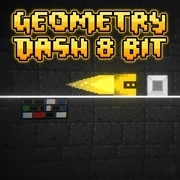 Geometry Dash 8 Bit
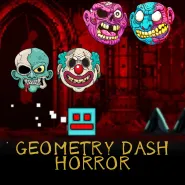 Geometry Dash Horror
 Geometry Dash Scratch
 Geometry Vibes Monster
 Geometry Dash Subzero 3D
 Geometry Arrow 3D
 Geometry Dash Meltdown 3D
 Space Waves 3D
 Geometry Dash Wave 3D
 Geometry Dash Wave
 Geometry Dash Arrow
 Geometry Dash Gaminia
 Geometry Dash Demons
 Geometry Dash Deadlocked
 Geometry Dash Breeze
 Geometry Dash Polargeist
 Geometry Dash Press Start
 Geometry Dash Retray
 Geometry Dash Daily Level Dream World
 Geometry Dash Infrunami
 Geometry Dash Suponho
 Geometry Dash Extrapolation
 Geometry Dash jump 2
 Geometry Dash jump
 Geometry Dash Bloodbath
 Geometry Dash Spam
 Geometry 3Dash
 Space Waves
 Geometry Dash World
 Geometry Dash Subzero
 Geometry Dash Meltdown
 Geometry Dash Lite
If you love high-speed arcade challenges—where a single split-second mistake sends you right back to the starting line—then Geometry Platformer is the game for you. You can play it directly in your browser at Geodash.games. This rhythm-based action game strips away all unnecessary complexity, leaving you with intense, high-stakes moments that demand absolute precision in timing.
The goal sounds simple: guide a geometric shape from the start to the finish line. In practice, however, every jump, flight, or gravity-defying maneuver must be perfectly synchronized with the beat of the energetic electronic soundtrack.
How to Play Geometry Platformer
You don’t need a complex keyboard setup or a specialized controller to get started. Everything is controlled by a single, core action that requires seamless hand-eye coordination:
Jump and perform actions: Press the Spacebar, the Up arrow key, the 'W' key, or click the left mouse button (or tap the screen if playing on a mobile device).
Hold the key for continuous actions: Holding the key allows your shape to perform consecutive jumps or control its altitude while in flight.
Pause / Menu: Press the Esc or P key to take a break.
As you progress through the levels, you will encounter glowing portals that completely transform how your character moves. One moment you might be leaping over sharp spikes as a square, and the next, you could be piloting a rocket ship through narrow corridors, bouncing off saw blades, or navigating upside down as gravity shifts. Compelling features that will keep you coming back for more
Level design synchronized with music: The rhythm is more than just background audio. Obstacles, platforms, and jump pads are all aligned with the beat, allowing you to rely on your ears just as much as your eyes.
Instant respawn: If you happen to hit a spike, you’ll be back in the action immediately. There are no loading screens between attempts, helping you maintain intense focus.
Practice Mode: Stuck on a difficult section near the end of a level? Use Practice Mode to place manual checkpoints, allowing you to master complex segments before attempting a full, uninterrupted run.
Customization: Unlock new geometric shapes and unique color schemes as you complete levels or reach specific score milestones. Tips for conquering challenging levels
Listen to the rhythm: When the screen becomes chaotic with flashing neon colors and speed-boost portals, focus on the musical rhythm. Most jumps align with snare hits or bass drops.
Avoid "spam-clicking": Panicking and mashing the controls often leads to jumping too early. Execute each move with intent, and learn to recognize when you need to hold the button down rather than just tapping it.
Make the most of Practice Mode: Instead of replaying the first 70% of a level only to fail at the same spot at the 75% mark, focus your practice specifically on that difficult section until it becomes second nature—building up your "muscle memory." Pay attention to portals: Keep an eye on the colors of upcoming portals to prepare for sudden shifts—such as transitions between jumping, flying, or gravity reversals.
Take your skills to the ultimate level in these two titles: Geometry Dash: Impossible Wave and Geometry Dash Double Wave PRO.
Why play on Geodash.games?
On Geodash.games, this geometry-based platformer runs smoothly directly in your web browser—no downloads, installations, or concerns about large file sizes required. Whether you want to squeeze in a few quick rounds during a break or dedicate time to conquering a challenging level from home, you can jump right into the action on both desktop and mobile devices.
Are you ready to put your timing skills to the test? Hit the play button above, turn up the volume, and see how far you can get without crashing!
Would you like me to make any further adjustments to this text—such as incorporating specific target keywords, adding an FAQ section optimized for Schema SEO, or modifying the length to suit your website’s requirements?