


Geometry Dash Avatar


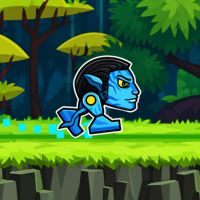 Geometry Dash Avatar
 Geometry Dash Switch
 Geometry Platformer
 Impossible Dash
 Geometry Dash: Impossible Wave
 Geometry Wave Challenge
 Geometry Dash: Super Bull Phonk
 Geometry Dash: Secret Mode
 Geometry Dash Double Wave PRO
 Geometry Ball: Hardcore
 Geometry Dash Neon
 Geometry Dash: Dangerous Choices
 Geometry Dash Black Dragon
 Geometry Dash Black Wave
 Geometry Dash Freeznova
 Geometry Dash 3D Shooter
 Geometry Dash Clicker
 Geometry Dash Lava Mode
 Geometry Dash Portal Challenge
 Geometry Dash Robot
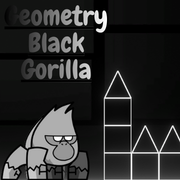 Geometry Dash Gorilla
 Geometry Dash Rash
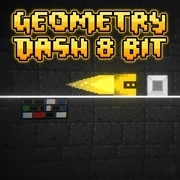 Geometry Dash 8 Bit
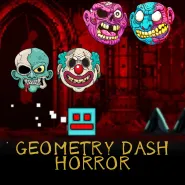 Geometry Dash Horror
 Geometry Dash Scratch
 Geometry Vibes Monster
 Geometry Dash Subzero 3D
 Geometry Arrow 3D
 Geometry Dash Meltdown 3D
 Space Waves 3D
 Geometry Dash Wave 3D
 Geometry Dash Wave
 Geometry Dash Arrow
 Geometry Dash Gaminia
 Geometry Dash Demons
 Geometry Dash Deadlocked
 Geometry Dash Breeze
 Geometry Dash Polargeist
 Geometry Dash Press Start
 Geometry Dash Retray
 Geometry Dash Daily Level Dream World
 Geometry Dash Infrunami
 Geometry Dash Suponho
 Geometry Dash Extrapolation
 Geometry Dash jump 2
 Geometry Dash jump
 Geometry Dash Bloodbath
 Geometry Dash Spam
 Geometry 3Dash
 Space Waves
 Geometry Dash World
 Geometry Dash Subzero
 Geometry Dash Meltdown
 Geometry Dash Lite
In Geometry Dash, your icon is more than just a hitbox—it’s a personal signature. Whether you’re striving to conquer Demon-level stages, showcasing your latest achievements in the comments, or designing your own custom levels, a unique look helps you stand out among millions of other players.
At Geodash.games, you can explore, experiment with, and plan your dream aesthetic without needing to unlock every item in the game. Below, you’ll find everything you need to know about the "Icon Kit" in Geometry Dash, how to customize your icons, and how to craft a look that perfectly matches your personal playstyle.
What is an avatar in Geometry Dash?
An avatar in Geometry Dash—officially referred to as the "Icon Kit"—is a collection of customizable shapes, vehicles, colors, and visual effects that represent you throughout your gameplay experience.
Rather than being locked into a single character design, the game allows you to flexibly combine different skins for various game modes. As you pass through portals during a level, your avatar automatically transforms into the skin you’ve assigned to that specific mode. Check out the Geometry Dash Robot and Geometry Dash Arrow to discover even more exciting options.
Customizable game modes
To build a complete profile, you can customize the appearance of eight distinct character forms:
Cube: The most fundamental and common form. This serves as the primary representation of your profile and is the icon that others will see on the leaderboards. Ship: A flying vehicle that allows you to navigate through narrow aerial passages. Ball: A spherical form capable of inverting gravity, enabling movement along both the floor and the ceiling.
UFO: A flying-saucer-style form that requires the player to tap rhythmically to maintain altitude.
Wave: A high-speed movement mode that travels along diagonal paths, characterized by sharp, zigzagging trajectories.
Robot: A bipedal character capable of performing jumps of varying heights.
Spider: An eight-legged form with the ability to instantly teleport between surfaces.
Swing (Swing-copter): The newest character form, introduced in the 2.2 update; it features a momentum-based flight mechanic and can operate in two directions. Beyond just the basic shape, there are colors, glow effects, and movement trails.
Creating an impressive avatar in Geometry Dash involves more than just picking an eye-catching base shape. True customization lies in balancing colors and effects, ensuring your character stands out while remaining easy to track—even during high-speed segments. Primary and secondary colors: You can choose from dozens of vibrant tones to decorate the main body and the internal details of your character. High-contrast combinations (such as dark gray with neon blue, or crisp white with deep red) are highly favored by top players, as they remain clearly visible even against complex level backgrounds.
Glow Effect: When this option is unlocked, a subtle outline appears around your character, utilizing the secondary color you have selected. This effect not only makes your character more visually striking but also sharpens its outlines, making it easier to track during dark segments or moments when the screen flashes rapidly. Movement trails and death effects allow for further customization: you can choose the trail left behind as you move, as well as the explosion effect that triggers whenever you collide with an obstacle and fail. Whether it’s a soft, rainbow-colored streak or a fierce burst of flames, these small details help add a unique, personal touch to your playstyle.
How to unlock new icons in Geometry Dash
A key highlight of the "Icon Kit" system is that most designs are tied to specific achievements. While you are free to experiment with various designs at Geodash.games, obtaining them in the official game requires completing certain challenges:
Complete official levels: Beating the original levels—in either Normal or Practice mode—will reward you with various cube designs, ship forms, and classic color palettes.
Collect Secret Coins and User Coins: Seeking out hidden coins—whether in official levels or those created by the community—will help you unlock some of the most attractive and highly sought-after icons.
Star & Demon Grinding: Reaching specific star milestones or beating a set number of Demon levels proves your skill—and rewards you with intimidating, battle-hardened skins to show off.
Opening Chests & Visiting Shops: Spending Mana Orbs at the various secret shops (like Scratch’s Shop or the Community Shop) or opening Daily Chests in the Treasure Room gives you access to hundreds of unique, community-created designs.
Secret Vault Codes: Typing hidden passwords into the Vaults unlocks exclusive icons you can't get anywhere else.
Tips for Designing the Best Geometry Dash Icon
Not sure where to start? Keep these quick tips in mind when putting your setup together:
Prioritize Visibility: Dark colors like black or navy blue look sleek, especially when paired with a bright white or neon glow. However, all-black icons without glow can easily blend into dark backgrounds and cost you a run.
Keep a Consistent Theme: Try matching the aesthetic across all your vehicles. If you use a sharp, mechanical cube, pair it with an angular ship, wave, and spider for a cohesive look.
Test Your Hitbox Feel: Even though all icons of the same gamemode share the exact same hitbox, certain shapes feel easier to control. Slimmer waves and symmetrical cubes often give players better visual precision during tight timings.
Build Your Dream Setup on Geodash.games
Ready to experiment with different styles? Use the Geometry Dash Avatar tools on Geodash.games to preview hundreds of cubes, ships, waves, and color palettes side-by-side. Whether you're looking for inspiration for your next in-game grind or just want to create a custom profile picture, jump in and start building your signature look today!